MangoSave · almost readyNow trying every part of MangoSave

Hi, I’m learning AI by making something real.

Can AI help a beginner build an app?

I started with a problem I understood: useful social posts were not always easy to save for later. AI helped me turn that problem into MangoSave.

Meet MangoSave

MangoSave

Save useful posts. Keep learning.

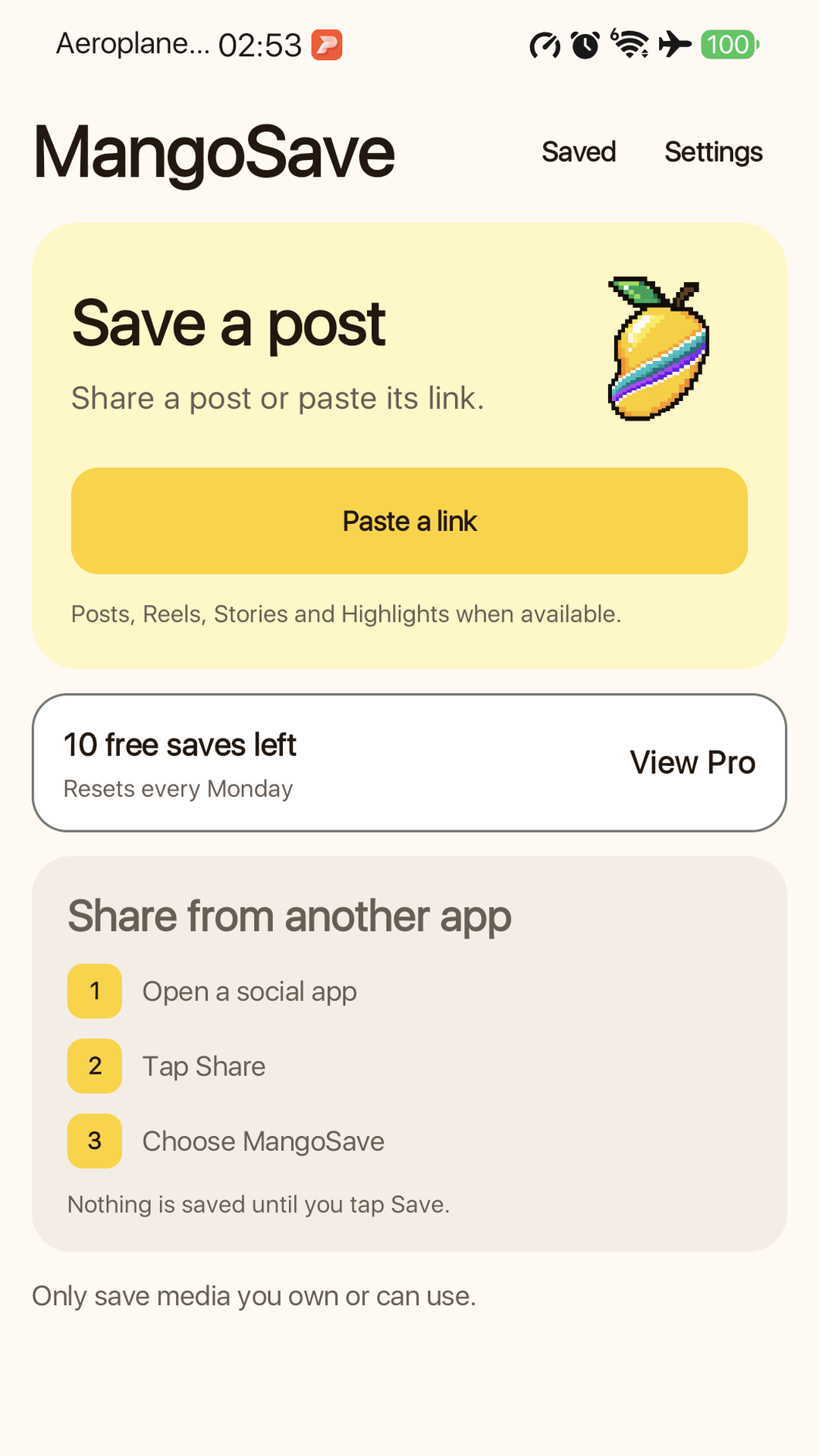
Share or paste a supported social link, preview what was found, then save it to your phone.

  • 10 free saves return every week
  • Optional Pro removes the weekly limit
  • Save only media you own or may use
Get MangoSave help
MangoSave home screen

000 hourssince my first recorded build

What would you like to know?

Open one topic. You do not need to read everything.

My storyWhy I started

I knew almost nothing about taking an app from an idea to an app store. I learn faster by making something real, trying it on my phone and sharing the mistakes in normal words.

Mangora = mango + aurora. Mango is a fruit I love. Seeing the Northern Lights is still a dream. Mangora is where those two ideas—and many unexpected dots—connect.

Build your ownHow to begin with AI
  1. Name one small problem.Pick something that bothers you.
  2. Ask AI for choices.Let it recommend one in normal English.
  3. Make one job work.Do not add more features yet.
  4. Try it on your phone.Real use exposes the confusing parts.

“I am new to app building. Ask me one question at a time. Give me two or three choices, recommend the best one, and help me make the smallest version I can test.”

Beginner lessonsWhat went wrong
  • A design that works on a computer can still fail on a phone.
  • One successful test does not mean every link works.
  • A button is not a complete payment until the store confirms it.
  • Simple words matter as much as working code.
  • Build, try, fix, then repeat.

The desktop version keeps the full collection of 30 short lessons.

Free and ProWhy I added payment

I wanted people to try the main job for free—and I also wanted to learn how a real Play Store purchase works. Free includes 10 saves each week. Pro adds unlimited saves and the extra formats described in the app.

If Pro helps cover a matcha, hosting or a little of my AI tool costs, that is already a win.

One beginner. One real app.

Can AI help me make an app?

MangoSave is my first time taking an app from an idea through design and testing to preparation for an app store release. I used AI to learn each step as I went.

What I am makingMangoSave
Live build clock 000 hours See the build facts
MangoSave home screen
  1. 01Ask
  2. 02Make
  3. 03Try
  4. 04Fix

Why I am doing this.

I learn faster when I make something real. Sharing the mistakes may help another beginner start.

I knew almost nothing about making apps with AI when I started. Mangora is where I show what I tried, what broke, what fixed it and which tools helped.

Connecting the dots. Steve Jobs inspired the idea behind this project. A fruit I like, a dream of seeing the Northern Lights, one annoying problem and new AI tools seemed unrelated. Mangora is where those dots meet.

For me
Turn curiosity into something I can use.
For beginners
Show the good steps and the wrong turns.
For every app
Let real people show me what to improve.
Mangora logo: a digital mango crossed by a Northern Lights ribbon

MangoAurora

Where Mangora comes from

A fruit I love. A light I still dream of seeing.

Mangora joins mango with aurora. I have always wanted to see the Northern Lights, perhaps in Finland, but I have not made that trip yet.

Until then, Mangora is where curiosity becomes small AI projects. I share the journey as I learn, keep the mistakes visible and pass on anything useful I manage to make.

Can a complete beginner use AI to make a real app?

I am finding out by building one step at a time and sharing what I learn. I explain each step in normal words and try everything on a real phone.

AI helps with

  • Finding possible answers
  • Turning an idea into a screen
  • Trying a change quickly

I am learning to

  • Choose which ideas are useful
  • Check every button on a real phone
  • Know when an app is ready to share

Start with one tiny problem.

You do not need to know how to code before you begin. Describe one useful job in normal words, ask AI to keep the first version small and test it before adding more.

A first prompt you can use

Replace the words inside the brackets with your own idea.

I am new to app building. I want to make a simple app that [describe one useful job]. Ask me one question at a time. Give me two or three clear choices. Recommend the best choice and explain why in normal English. Start with the smallest version I can test on my phone. Do not add more features until the first job works.

Your first four steps

  1. 1
    Name one problem

    Choose something small that bothers you.

  2. 2
    Describe one useful job

    Say what the app should help one person do.

  3. 3
    Make the smallest version

    One working screen teaches more than ten unfinished ideas.

  4. 4
    Try it on a real phone

    What feels obvious on a computer may feel confusing in your hand.

Seven app words explained simply
UI (User interface)
What people see and tap.
UX (User experience)
How easy or confusing the app feels.
Front end
The part people use on the phone or website.
Back end
The online service working behind the app.
APK (Android Package Kit)
An Android file you can install directly.
AAB (Android App Bundle)
The Android file uploaded to Google Play.
UAT (User acceptance testing)
Trying the finished app like a real person before launch.

What I am making now

MangoSave

I enjoy learning from social media. When a useful photo or video is mine or shared with permission but has no easy save option, MangoSave helps me keep it for later.

The aim is simple: make personal learning easier while respecting the person who made the content.

MangoSave download screen
1

Start hereShare or paste a supported link.

2

See the resultCheck the media before saving.

3

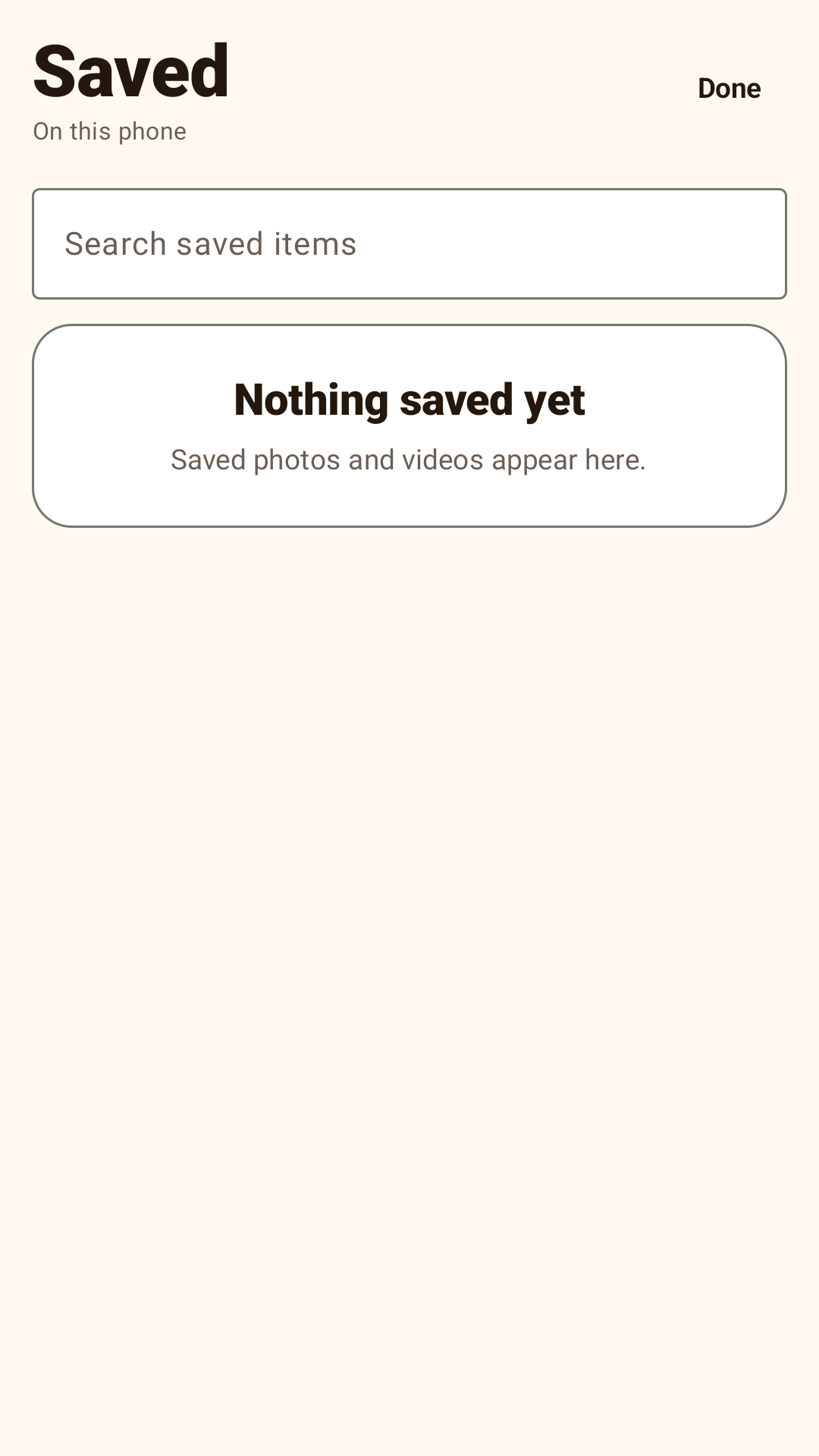
Stay organisedFind and manage saved files.

Now
Trying the whole app
Checking
Saves, payments and store approval
Next
Share the Android app on Google Play
Get help

The build clock

How long has MangoSave been growing?

This clock started at the first recorded build on 10 August 2026. It shows calendar time, not tracked working hours.

000Total hours since start
00Days
00Minutes
00Seconds

Build ledger

Only figures that can be checked in the project files.

11
Recorded development milestones
43
App packages produced for testing or release
499
Automated test checks in the latest saved reports
00
Calendar days since the first build
Claude Design
Claude Fable 5 with xhigh effort
Codex
GPT 5.6 Sol with medium effort

These are the runtime names recorded in the local project logs.

How I make each version.

AI helps me move faster. I still have to try everything myself.

  1. 1.0

    Ask

    Start with one problem that bothers me.

  2. 2.0

    Make

    Ask AI to help turn the idea into an app.

  3. 3.0

    Try

    Use it like a normal person on a real phone.

  4. 4.0

    Fix

    Change anything that breaks or feels confusing.

  5. 5.0

    Share

    Let more people try it when the main jobs work.

The tools helping me learn.

I did not install and configure all these tools myself. I did not even know what many of them were. I explained what I wanted, then ChatGPT, Codex or Claude chose, installed and used most of them when needed. I stepped in for accounts, phone permissions and choices only I could make.

ChatGPT + Codex
ChatGPT helps me think through the idea. Codex works directly on the project, tests it and helps find mistakes.
Claude Design
Helps me try different screen ideas before changing the real app.
MacBook with macOS Tahoe
The main computer where the website, Android app and iPhone app are built, tested and prepared.
Kotlin and Jetpack Compose
The main tools used to make the Android app.
SwiftUI and Xcode
The main tools used to make and check the iPhone app.
Gradle and ADB
Turn the Android work into an app I can install and try on a phone.
PostHog
Shows which parts people use and whether something fails. It also tells the app when an update is ready.
Play Console and App Store Connect
The websites used to test, sell and publish the app.
Real phones
Show problems that a computer preview can miss.

This website was made with AI too.

MangoSave is only one lesson. I am using AI to learn how ideas become apps, websites, logos, motion and whatever I try next.

  1. 01

    App development

    I explained the problem in normal words. AI helped turn it into screens and working features.

  2. 02

    Web design

    I shared the story I wanted to tell. AI helped arrange it into the page you are reading.

  3. 03

    Logo and motion

    The mango, Northern Lights idea and moving background all grew through many conversations and tries.

  4. 04

    AI YouTube videos

    This became a major learning project of its own. I watched many tutorials, followed each step and asked AI question after question. Getting the story and video right, then making an AI clone of my own voice sound natural, took much longer than I expected. I plan to share the full process later.

  5. 05

    Music and future experiments

    I want to keep learning what AI can help one person create, from music and videos to ideas I have not imagined yet.

  6. 06

    My part still matters

    I choose the direction, try the result and decide what feels useful. AI helps, but it does not make those choices for me.

Curious about any part? Ask me how I made it, or tell me what I forgot to explain. I will share the answer as I learn.

Thirty beginner lessons from making MangoSave.

Open one chapter at a time. Each short story explains what went wrong and the simple rule I learned from it.

1. Getting the app onto a phoneLessons 1 to 5
  1. My phone showed the old design

    I had made a new version, but the phone was still running the old one.

    Always check which version is installed.
  2. A computer screen fooled me

    It looked neat in a wide browser but cramped on a phone.

    Try it on a real phone early.
  3. I decided the colours too late

    I designed dark screens before deciding the app should look light.

    Make the big visual choices first.
  4. Android and iPhone stopped matching

    I changed one app but forgot to make the same change in the other.

    Use one list for both apps.
  5. Too many words hid the buttons

    Helpful explanations pushed the main action below the screen.

    Keep only the words people need.
2. Helping people feel safeLessons 6 to 10
  1. No one knew why Instagram sign in was there

    People saw a sign in button without knowing what it would help them save.

    Say what sign in is for.
  2. People worried about their passwords

    The page did not clearly say what MangoSave keeps.

    Say what the app keeps and what it never keeps.
  3. Being signed in elsewhere did not help

    Instagram and the sign in page inside MangoSave did not share the same login.

    Check what people will really see.
  4. Instagram items did not all work the same way

    Posts anyone can view, Stories and Highlights needed different steps.

    Do not promise more than the app can open.
  5. My privacy explanation kept changing

    I wrote the explanation before deciding exactly what information the app needed.

    Decide first. Explain it once.
3. Making shared links workLessons 11 to 15
  1. The same Threads post made two different links

    Sharing from Threads did not give the same link as copying it from a browser.

    Try the exact steps a real person will take.
  2. A short RedNote link changed before opening

    The short link turned into a longer address on its way to the post.

    Follow every link until it reaches the real page.
  3. One working post gave me false confidence

    The app saved one post, but other posts still failed.

    Try many real examples before saying it works.
  4. The video preview had no picture

    People saw a play button but could not see which video it was.

    Show a still picture first.
  5. The video page looked unrelated

    Its colours and buttons felt different from the rest of MangoSave.

    Make every screen feel like the same app.
4. Keeping saved files easy to manageLessons 16 to 20
  1. Files said Other instead of the app name

    MangoSave forgot where some files came from.

    Remember the app for every saved file.
  2. Long names were impossible to read

    Two items in one row left too little room for the names.

    Give each item a full row.
  3. The Share button had nowhere to go

    The phone said no sharing apps were available.

    Try sharing with apps people really have.
  4. Delete was not clear

    People could not tell if MangoSave would remove the list or the real file.

    Say exactly what will disappear.
  5. The Saved page was hard to keep tidy

    Sort, select and delete were missing.

    Plan how people manage files too.
5. Making Free and Pro clearLessons 21 to 25
  1. The free number stayed at ten

    A save worked but the number of free saves did not change.

    Change the number after the save finishes.
  2. Reinstalling gave ten free saves again

    The limit lived only on the phone and disappeared when the app was removed.

    Decide what stays on the phone and what stays online.
  3. People needed Pro back after reinstalling

    The app had to check whether Google Play already knew they had paid.

    Give people back what they paid for.
  4. People could not tell what Pro unlocked

    The benefits were buried inside too many words.

    Show Free and Pro clearly before asking anyone to pay.
  5. People did not know when free saves returned

    The app showed the saves left but not the next weekly reset date.

    Show when the free saves will return.
6. Preparing for a real releaseLessons 26 to 30
  1. My website only opened on my laptop

    The address was a preview that worked only on my own computer.

    Try the published website from another phone.
  2. The Update button led nowhere

    The Google Play page was not ready yet.

    Test the link before asking people to update.
  3. The usage report stayed empty

    The app tried to send numbers but they did not reach the report.

    Follow one real action from the phone to the final report.
  4. A total number did not explain the failures

    I knew how many tries failed but not which kind of link caused trouble.

    Keep the few details that help find the problem.
  5. A Pro button was not a complete payment

    The button appeared but Google Play still needed a real product and a safe test purchase.

    Complete one test purchase before release.

Why Pro exists

A matcha for the next build.

I wanted to learn how a real Google Play payment works. I am not expecting MangoSave to make serious money. If Pro helps pay for a matcha, hosting or part of the Claude and Codex subscriptions I use to learn, that is already a win.

Free, paid or subscription?

Why MangoSave has Free and Pro.

I began with a free app. Then I realised payments were another part of app making that I wanted to understand.

Why is MangoSave both Free and Pro?

Free lets anyone try the main job first. Optional Pro lets me learn how a real Google Play purchase works.

Why not make it a subscription?

A monthly payment felt too much for a small tool. MangoSave uses a one time Pro purchase instead.

Why do free users get 10 saves each week?

Claude and Codex give me a limited amount of coding time or credits that renew. That gave me the idea for a useful free allowance that also comes back each week.

Are you trying to make money from this?

That is not the main goal. If Pro covers a matcha, hosting or a little of my AI tool costs, I am happy.

What do I get with Pro?

Pro gives you unlimited saves with no weekly limit. It also unlocks Threads videos, Stories on Instagram, Facebook and TikTok when available, Instagram Highlights when available and full posts or albums from Instagram, TikTok, X and RedNote.

Where did I register the Mangora AI domain?

I registered the .ai address through Cloudflare. It cost US$80 for one year when I registered it. Prices can change, so check the current amount before registering your own.

Can I use MangoSave to save anything?

No. Save only media you own or have clear permission to use. Personal learning does not remove the rights of the person who made it.